Why run wireshark 2.5 on OSX
When I wanted to analyse traffic to an USB device and read that it should be possible with wireshark 2.5 nightly build.
The error message
After installing wireshark, when I started wireshark I got the following
error message.
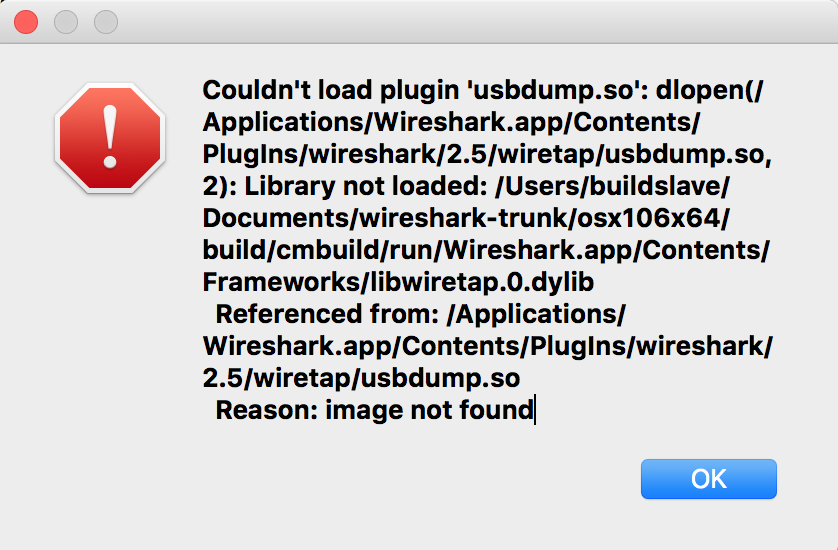
The solution
It seems you can see which libraries are needed by a module or program using the tool command. And you can change the paths the module or program uses with the install_name_tool command. So that is what I did.
alanna:~ root# cd /Applications/Wireshark.app/Contents/PlugIns/wireshark/2.5/wiretap
alanna:wiretap root# otool -L usbdump.so | grep buildslav
 /Users/buildslave/Documents/wireshark-trunk/osx106x64/build/cmbuild/run/Wireshark.app/Contents/Frameworks/libwsutil.0.dylib (compatibility version 0.0.0, current version 0.0.0)
alanna:wiretap root# install_name_tool -change /Users/buildslave/Documents/wireshark-trunk/osx106x64/build/cmbuild/run/Wireshark.app/Contents/Frameworks/libwsutil.0.dylib /Applications/Wireshark.app/Contents/Frameworks/libwsutil.0.dylib usbdump.so
This has to be done three times, because there are three references to the buildslave path. When all three are replaced, you will no longer find them in the usbdump.so.
alanna:wiretap root# otool -L usbdump.so | grep builds
After this there was still an error because of references to /usr/local/lib. I tried to fix it by adding a rpath to the module, but this didn’t work.
alanna:wiretap root# install_name_tool -add_rpath /Applications/Wireshark.app/Contents/Frameworks usbdump.so
Because this didn’t work, I had to loop through all the /usr/local/lib entries and replace them with the Frameworks directory.
alanna:wiretap root# for dylib in libgmodule-2.0.0.dylib libcares.2.dylib libgcrypt.20.dylib libgpg-error.0.dylib
 libGeoIP.1.dylib libglib-2.0.0.dylib libgthread-2.0.0.dylib libintl.8.dylib libgnutls.30.dylib liblz4.1.dylib
 libnghttp2.14.dylib libsmi.2.dylib libsnappy.1.dylib libxml2.2.dylib; do
install_name_tool -change /usr/local/lib/${dylib}
/Applications/Wireshark.app/Contents/Frameworks/${dylib} usbdump.so ; done
alanna:wiretap root#
After this was done wireshark started without any error messages. Now I only have to see if I can get the traffic logging I want.